Messages Text SMS
- 4.2
- Rating
- 1.00M
- Installs
- Free
- Price

 Analysis by App-foxy
Texting is one of those tasks where a small amount of friction quickly becomes annoying. I tested Messages Text SMS as a replacement for a phone’s usual messaging tool, paying particular attention to how easily I could read conversations, move between controls, and keep using it when my attention, vision, hearing, or hands were not at their best. My overall impression is that this is a practical communication app with a more personal feel than many basic SMS clients, especially if you like changing the appearance of your inbox.
It is a free Android app in the communication category, made by Messages SMS Text Messenger. The app is suitable for Everyone, runs on Android 10 or later, and its current version is 1.3.6. It has reached over 500 thousand installs and holds a 4.2 average from around 2.7 thousand ratings, which suggests that it has found a useful middle ground between a bare default messenger and a heavily featured chat platform.
How the layout feels when reading and navigating
The first thing I noticed was that the app’s usefulness depends less on novelty and more on how comfortable it makes everyday SMS work. A conversation list, message thread, and composing area are familiar patterns, so I did not have to relearn the basic purpose of each screen. That matters for people who want a replacement for the default app rather than another social network to manage.
You May Also Like

 Blood Strike: 2.5 Anniversary
Blood Strike’s Loadouts Turn Every Drop Into a Tactical Gamble
A close look at Blood Strike’s custom loadouts: how fast access to signature weapons reshapes its battle royale rhythm, rewards preparation, and narrows the gap between fights.

 Pandora - Music & Podcasts
Pandora’s Music Is Easy to Start, but Harder to Recover
Pandora’s strength is its low-effort path from a seed to a station. Its weak spot is how much confidence it asks you to place in connection, setup, and quiet recovery.

 8 Ball Pool
 Is Built on Rivalries, Rematches, and Routine
A close look at the rivalries, rematches, shared routines, and unanswered safety questions that turn a quick pool match into a persistent mobile community.

 Samsung Music
’s Quiet Strength Is Playing What You Already Own
Its reach comes less from spectacle than from dependable access to a personal library. That simplicity is both the app’s strongest retention engine and its ceiling.

 AccuWeather: Weather Radar
AccuWeather Review: A Quick, Clear Forecast for Everyday Decisions
For everyday plans, the best forecast is the one you can understand quickly. AccuWeather makes rain timing, radar, and local conditions easy to act on, with a few trade-offs.

 Hill Climb Racing
Why Hill Climb Racing Still Turns Crashes Into One More Run
A tiny car, a bumpy hill and one more upgrade: Hill Climb Racing keeps resurfacing because its simple chaos makes every near-miss feel personal.
More From Our News Desk



The theme options are more than decoration for me. A suitable background and text treatment can make a long conversation easier to follow, particularly when the default appearance of a phone feels too bright, too plain, or visually tiring. I would still choose a restrained theme for regular use. Decorative choices may look attractive at first but can compete with message text, reduce visual separation, or make a busy conversation harder to scan.
For readers who rely on larger text, the important point is that the app should be judged together with the phone’s own display and font settings. I found it sensible to increase system text before trying to solve readability through visual themes alone. A theme can alter atmosphere, but it cannot replace properly sized text, clear contrast, or a comfortable display scale.
The navigation is easiest when I treat the inbox as a work queue: open the conversation, read from the newest message, reply, and return to the list. That simple rhythm makes the app approachable for someone who does not want a complicated interface. It also means that users expecting the richer organization of a full chat platform may find the experience limited. SMS conversations are still the center of the product, rather than channels, communities, reactions, or media-heavy collaboration.
Backup is one of the more useful features for people who change phones or want more control over their message history. I would use it before switching devices, not only after something goes wrong. A backup is most valuable when it is part of a routine: create one while the old phone is still working, check that the process finishes, and then move to the new device. That workflow is more reassuring than assuming every old message will appear automatically.
Scheduled messaging also deserves a practical mention. I see it as a way to reduce pressure on the sender, not as a replacement for remembering important commitments. For example, I could prepare a reminder for a family member earlier in the evening and schedule it for a reasonable morning time instead of sending it while they are asleep. Before relying on scheduling, I would review the recipient, wording, and timing carefully; a delayed message is still capable of being sent to the wrong person.
Why the visual options matter beyond style
Many messaging apps treat themes as a novelty, but here they can support different reading preferences. Someone who is sensitive to glare may prefer a darker presentation, while another person may find a lighter, higher-contrast arrangement easier to read. The best choice is personal, and I would test a theme with a real conversation rather than judging it from a preview or a short glance.
There is a trade-off, though. More customization can create more decisions. A person who wants to open the app and immediately send a text may see theme browsing as unnecessary setup. I would recommend choosing one comfortable appearance, leaving it alone for a few days, and only experimenting later if the text still feels tiring to read.
Using the app with different abilities and everyday situations
I look at accessibility here as a question of fit: the same familiar texting flow can feel easy for one person and tiring for another, depending on vision, dexterity, attention, and the phone’s own settings. I’d start with one real conversation and adjust the display and input tools around that task, rather than changing everything at once. That practical approach also helps clarify when the app’s straightforward design is useful—and when another communication setup may suit someone better.
Motor comfort and the effort of sending a message
Messaging can be physically demanding when a person has limited dexterity, hand pain, tremors, or simply one hand occupied by a bag or a child. The app’s value in that situation comes from keeping the task direct: select the conversation, reach the compose area, and send. I found that a predictable path is more helpful than a screen crowded with secondary actions.
One useful habit is to prepare messages when both hands are available and use scheduling for a later delivery. That does not remove the need to interact with the phone, but it can separate the physically demanding part from the moment when the message needs to arrive. It is a small workflow change, yet it can make reminders and routine check-ins less stressful.
I would not describe the app as a complete solution for every motor-access need. Touch targets, keyboard behavior, and voice input are influenced by the phone and keyboard being used, so the experience can vary from one Android device to another. If precise tapping is difficult, I would pair the app with the device’s existing accessibility controls and a keyboard that the user already handles comfortably rather than assuming the messenger alone will solve the problem.
There is also a privacy-related motor consideration. A larger screen layout may make it easier to check the recipient before sending, while a fast compact layout can encourage accidental taps. For sensitive messages, I recommend pausing on the compose screen and verifying the contact name and text. That extra second is worthwhile, particularly when using the app one-handed or while moving.
Visual and sensory considerations
People who are sensitive to bright screens, visual clutter, or changing backgrounds may appreciate having themes to choose from, but customization needs to be used carefully. I would prioritize legibility over novelty and avoid designs that make message bubbles blend into the background. A calm, consistent appearance is usually better for long reading sessions than a highly decorative one.
For users with reduced vision, I would combine a clear theme with the phone’s own magnification or text-size options where needed. The app can provide a more comfortable visual starting point, but it should not be treated as a substitute for system-level assistance. I also recommend checking whether enlarged text causes important controls to feel cramped on the particular device.
For users with hearing loss, a text-first app has an obvious advantage over communication that depends on listening to audio. SMS does not require the recipient to hear an alert or follow a voice conversation. However, the app cannot make the other person respond promptly, and a silent or missed notification can still delay a reply. I would use the phone’s notification settings and personal routines alongside the messenger when timing matters.
People with cognitive fatigue may benefit from the app’s focused purpose. It does not ask me to manage a large social feed before I can reach a text conversation. On the other hand, scheduled messages and backup introduce extra choices that should be approached deliberately. I would set up the basics first, then learn one additional feature at a time rather than changing the theme, backup habits, and scheduling approach all at once.
Situational access: when the phone is not being used normally
The strongest case for this app is not necessarily a feature checklist; it is the way a few tools fit real routines. Imagine receiving a message during a crowded commute, when reading a long thread is difficult and replying immediately is inconvenient. I would open the conversation, write a short response when I have a stable moment, and use scheduling if the answer should arrive later. The app remains useful because it supports the timing of communication instead of forcing every message to be sent immediately.
Another example is moving to a new phone. Text history can be emotionally or practically important, especially when messages contain addresses, appointment details, or family information. I would create a backup before the change and treat that as preparation, not as an emergency repair. This is a better approach than discovering after the old phone has been reset that the conversation history was needed.
The app can also suit someone who wants a calmer separation between ordinary texting and internet-based chat services. If most contacts still communicate through SMS, a dedicated client keeps that channel easy to reach. If a person’s life is centered on group chats, file sharing, calls, and cross-platform messaging, a broader service may be more efficient. The right choice depends on whether SMS is the main task or merely one small part of communication.
For older adults or relatives who dislike changing familiar phone behavior, I would set up the app with a simple theme and spend time showing the conversation list and compose action. The free entry point makes it easy to try without committing money at the start. Still, I would not switch someone remotely without checking their comfort with the new layout. Familiarity is itself an accessibility feature, and a visually nicer interface is not automatically easier for every person.
Where the experience still has barriers
The biggest limitation is that a third-party SMS app cannot control every part of the messaging experience. The keyboard, system notifications, display scaling, and phone hardware all influence how easy it is to type and read. That makes the app adaptable in some ways, but it also means that two people can have noticeably different experiences even when using the same version.
There is a learning curve around deciding which features to use. Themes are easy to understand, while backup and scheduling require more care because mistakes can have practical consequences. I would especially avoid experimenting with a scheduled message when the recipient or timing is sensitive. Drafting first and checking later is safer than treating scheduling like an instant-send shortcut.
Another consideration is the cost model. The app is free to download, but in-app purchases range from 49 cents to 99 dollars and 99 cents per item. That wide range means I would inspect any purchase screen before confirming anything and decide whether the free experience already covers my needs. Someone looking for a completely unrestricted, no-purchase environment may prefer a simpler tool with fewer optional extras.
The app also may not be the best fit for people who need advanced communication accessibility from one integrated platform. If your daily conversations depend on live captions, rich media collaboration, extensive group management, or a service designed around a particular assistive workflow, a specialized alternative could be more suitable. Messages Text SMS is strongest when the requirement is straightforward texting with a few useful conveniences, not when SMS is expected to become a full communications hub.
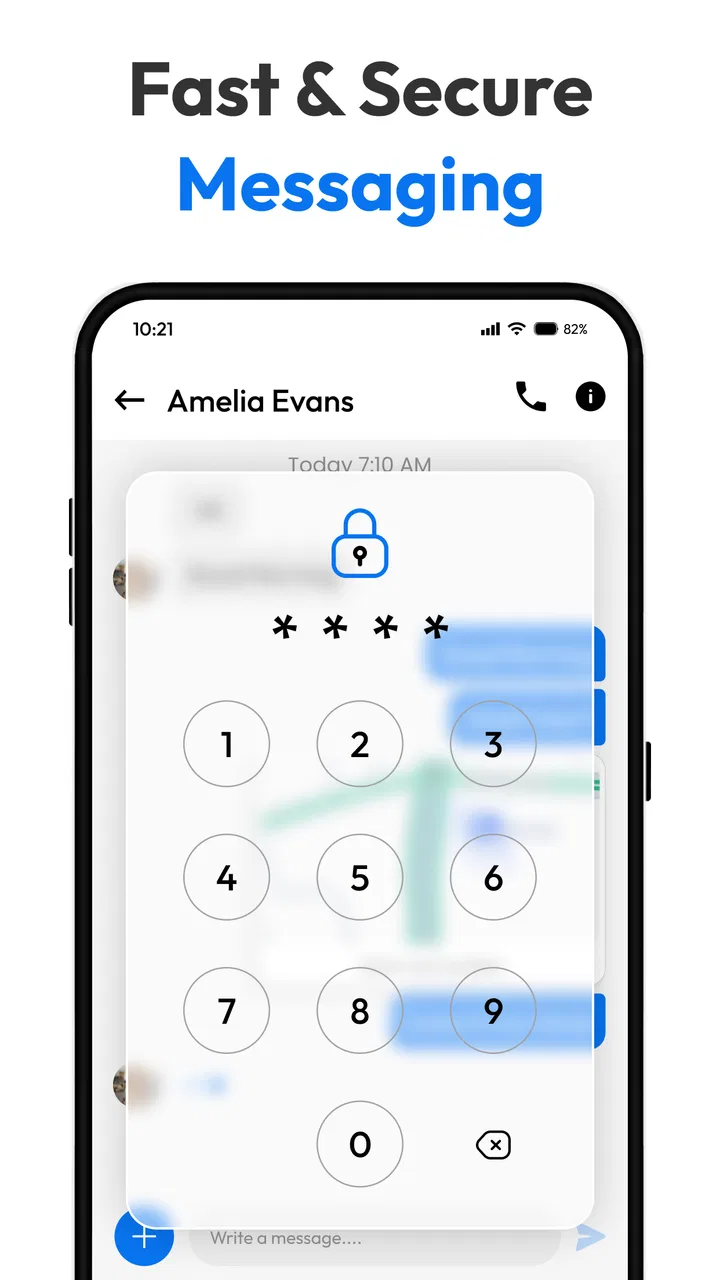
I would also be cautious about judging security from the word “secure” in a short description alone. Good personal practice still matters: use a device lock, review who receives sensitive messages, and remember that ordinary texting is not the same as a private encrypted chat service. The app can be a sensible SMS replacement, but the type of message and the trustworthiness of the recipient remain important.
My inclusive verdict
After using it as an everyday SMS replacement, I see Messages Text SMS as a thoughtful option for people who want more control over the look and handling of ordinary texts without moving to a completely different communication network. Its strongest accessibility-related qualities are practical: themes can improve visual comfort, the focused layout avoids unnecessary social clutter, backup supports people changing devices, and scheduling can separate composing from delivery.
I would recommend it to someone who wants a free starting point, prefers text-based communication, and is willing to adjust the app together with Android’s own display and input settings. It is particularly useful for users who value a calmer inbox or need to plan routine messages around work, sleep, caregiving, or limited energy.
I would steer someone elsewhere if they need a highly specialized accessibility environment, extensive group-chat tools, or a service where encryption and multimedia communication are central. I would also advise a careful trial for anyone who depends heavily on a familiar default messenger, because even a small change in navigation can create avoidable confusion.
My final view is positive but measured: the app’s inclusive value comes from flexible everyday workflows rather than a single magic accessibility feature. Choose a readable theme, keep the message path simple, make backups before changing phones, and use scheduling thoughtfully. With those habits, Messages Text SMS becomes a capable, approachable communication tool for many Android users, while its boundaries remain clear enough to make an informed choice.
FAQs for Messages Text SMS
01What features does Messages Text SMS offer?
Messages Text SMS provides a comprehensive messaging platform where users can send and receive text messages, multimedia messages (MMS), and group chats. It includes features like customizable themes, scheduled messages, quick replies, and message backups, ensuring a seamless and personalized communication experience.
02Is Messages Text SMS compatible with all devices?
Messages Text SMS is designed to work efficiently on both Android and iOS devices. However, it's important to check the app’s compatibility with your specific operating system version to ensure optimal performance. Regular updates from the developer often enhance compatibility and introduce new features.
03Does Messages Text SMS support multimedia messaging?
Yes, Messages Text SMS supports multimedia messaging (MMS), allowing users to send images, videos, and audio clips. This feature enhances the communication experience, enabling users to share more than just text. Ensure your device’s internet connection is active to use MMS effectively.
04How secure is Messages Text SMS?
Messages Text SMS prioritizes user privacy and security by incorporating end-to-end encryption for messages. This ensures that your conversations remain confidential and protected from unauthorized access. It's advisable to keep the app updated to benefit from the latest security enhancements.
05Are there any costs associated with using Messages Text SMS?
Messages Text SMS is generally free to download and use for basic text and multimedia messaging. However, standard carrier charges for SMS and MMS may apply depending on your mobile plan. Some features or additional services within the app might require in-app purchases.
Pros
- Intuitive user interface for easy navigation.
- Supports multimedia messaging seamlessly.
- Offers customizable notification settings.
- Efficient and fast message delivery.
- Lightweight app with low data usage.
Cons
- Lacks advanced group chat features.
- Limited options for message customization.
- No end-to-end encryption support.
- Ads can be intrusive at times.
- Minimal integration with third-party apps.

Messages Text SMS
Gallery